
What happens after you repay the debt in Debt Hunt?
A timed threat-elimination stage begins. Players commonly call it the Final Hunt. Eliminate the detected threat before the countdown ends to reach the full ending.

Post-debt guide
Repaying the debt starts a timed threat-elimination objective, commonly called the Final Hunt. Look for the red “days left to hunt the wolf” line and eliminate the monster before that counter runs out. The success screen confirms both the debt repayment and the monster’s defeat. Prepare your equipment and team recovery before the fight.
Start the final-hunt stepsFinal Hunt at a glance
Once the debt is repaid, read the new objective below BALANCE. Prepare your equipment, check injured or dead teammates, and use the hunting days shown in your own run to plan the fight.
Read the objective line
Both appear in gameplay. Your run’s “days left to hunt the wolf” line is the countdown to follow.
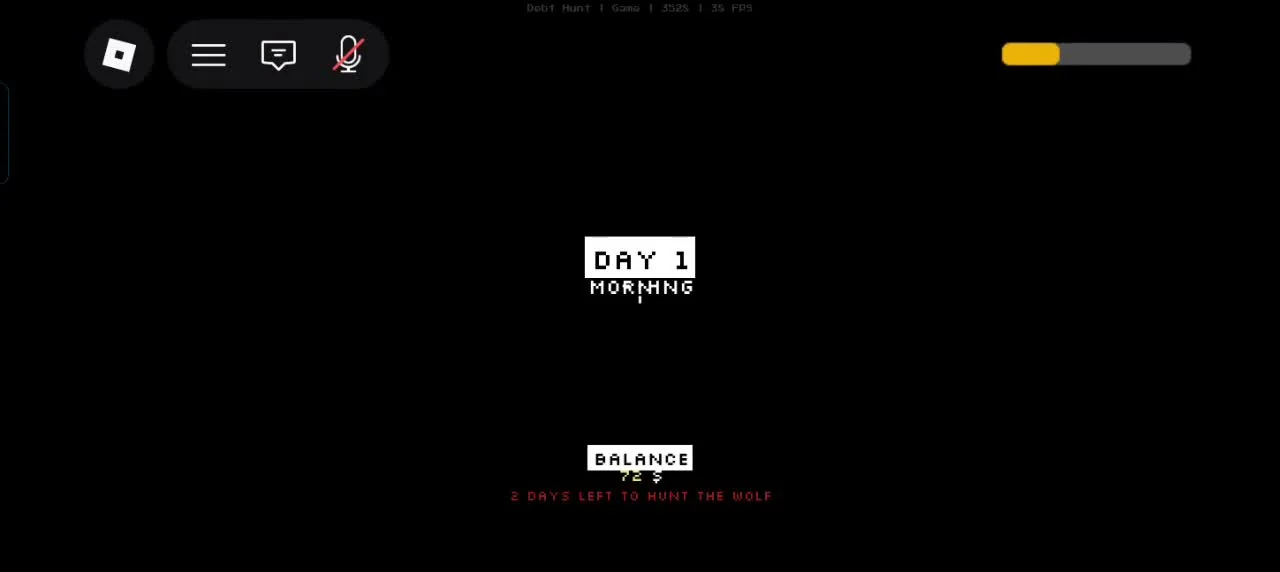
airocat’s run enters the hunt with 2 days left. Read the red objective line below BALANCE.
airocat · 26:45 ↗Video published Aug 31, 2026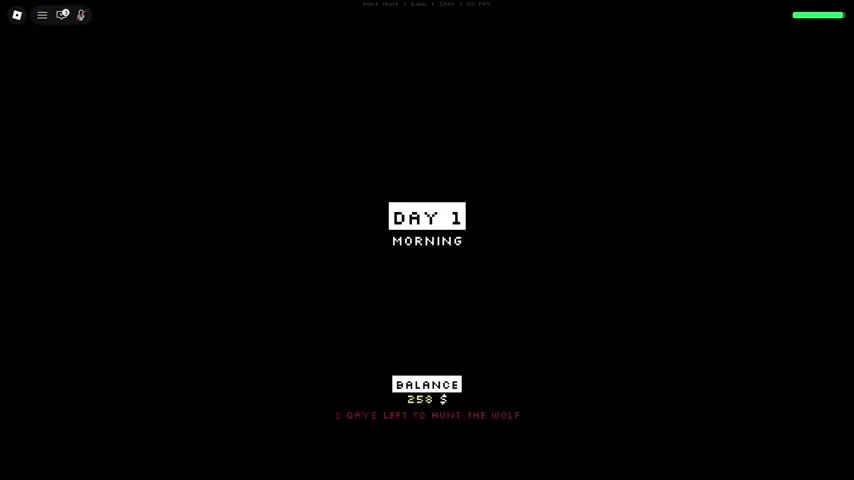
Spysem’s run shows 3 days left at the same objective transition.
Spysem · 26:28 ↗Video published Aug 29, 2026airocat’s recording shows 2 days left, while Spysem’s shows 3 days left. Both screens say DAY 1 MORNING. Look below BALANCE to distinguish this new hunting objective from the earlier debt deadline.
The recordings do not show what determines the difference. Read the deadline after the objective changes and again after each phase transition; base your next trip on that counter.
Finish repaying the full debt and watch the objective change from clearing debt to hunting the wolf. The transition can show DAY 1 MORNING again, now with a hunting deadline below BALANCE. Read that red line before setting off: the examples below show both two-day and three-day hunts.
A Rifle is useful, not mandatory. Update 1 lists one Dark Market purchase per day, and the tutorial’s Rifle card shows 1 LEFT. If you plan to use one, check the laptop’s stock and price while preparing for the final objective.
Update 1 reduced Bear Trap damage from 1 to 0.5. In observed gameplay, a trap can interrupt the monster's route and create a short attack window, but 0.5 damage will not finish the fight by itself.
The monster heals 1 after killing a Deer, after a successful hit on a player, and at the start of a new night. Keep the fight away from Deer and deny it those free healing triggers.
Watch the countdown and the monster's view cone. Published field-of-view values are 180° on Easy and Normal, 200° on Hard, and 230° on Insane, so higher difficulties leave less room behind it. Use the weapon or tool you have when an opening appears; the ending triggers when the threat is eliminated.
Night encounter field notes
Keep the objective in view throughout the fight. The run’s ending screen tells you whether the hunt is complete.
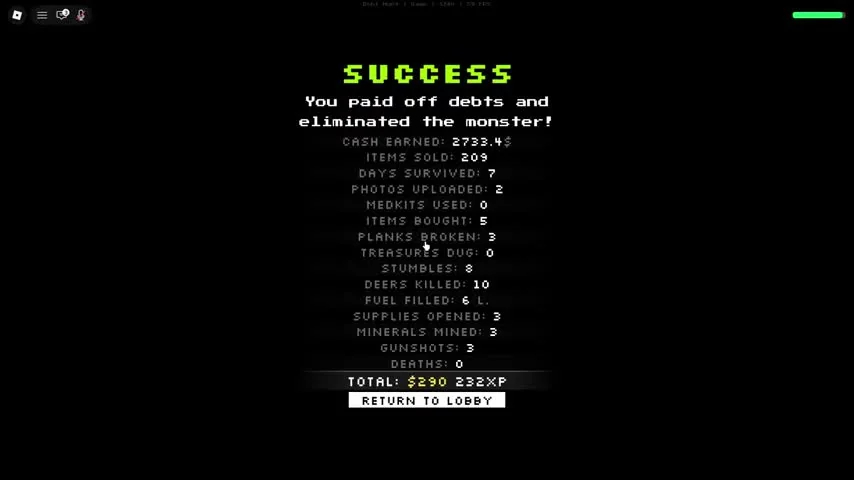
SUCCESS confirms both jobs are done: the debt is paid and the monster is eliminated.
Spysem · 43:55 ↗Video published Aug 29, 2026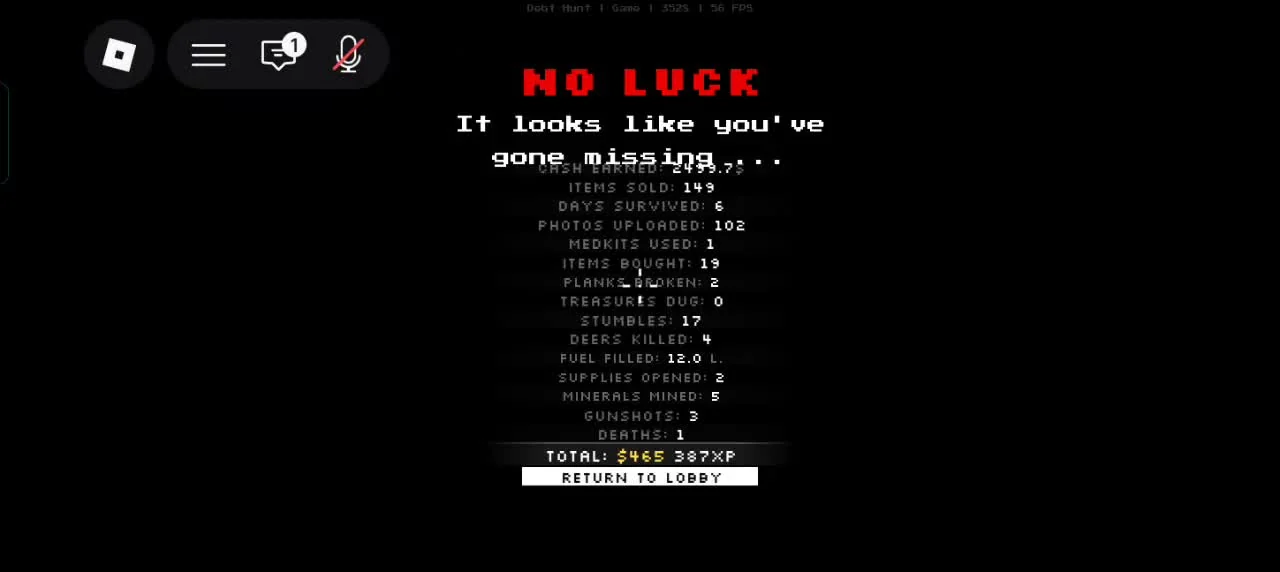
NO LUCK is the failed run summary. Review the totals here before returning to the lobby.
airocat · 45:20 ↗Video published Aug 31, 2026SUCCESS says the debts are paid and the monster is eliminated. Spysem’s video reaches that result at 43:55, followed by run statistics and Return to Lobby.
NO LUCK is the failed run summary in airocat’s footage. It also has statistics and Return to Lobby, so a result screen alone does not mean the objective was completed. Check the outcome at the top.
You need full debt repayment and the new timed objective on screen. An ordinary sunset encounter is still part of the main run, not the Final Hunt trigger. A Rifle and Bear Trap are optional tools, not stated trigger requirements.
Check the team before another chase
Match the response to the state on screen. Medkits, MedHelp, and the final result screen do different jobs.
The injured-player card in this MedHelp example says NOT REQUIRED, while the two dead-player cards offer the purchase. Check the named teammate’s card before spending.
Update 0.85 fixed cases where a purchased MedHelp revive was not applied. It also fixed the Trip Manager interaction getting stuck while a Medkit was being used.
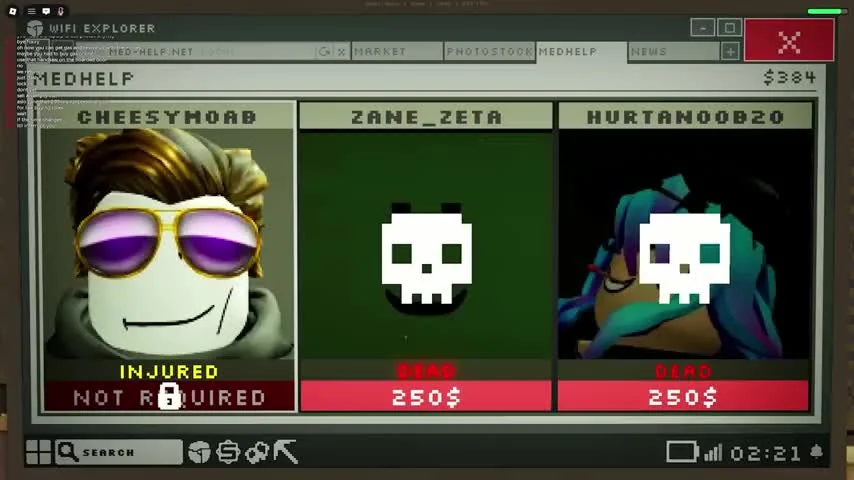
MedHelp separates INJURED from DEAD. The recorded dead-player cards offer a revive purchase.
Rogurt · 17:01 ↗Video published Aug 29, 2026Before calling a night skip, check teammate status as well as your remaining days. The Skip Phase examples still show injured players on the next results screen.
Check that the debt is fully repaid, then wait for the objective panel to update. A normal sunset hunt does not count. If the balance is at zero and the text never changes, recheck whether the run recorded the final payment before restarting.
Stop feeding it easy healing triggers. Keep players out of its front arc, pull the fight away from Deer, and finish within the same night when possible. The published Update 1 rules give it 1 healing after a player hit, a Deer kill, and each new night.
Zero debt starts the final objective. Stay in the run and wait for the timed threat-elimination notice.
Bear Trap damage was reduced to 0.5. Use it to control movement and create a safe attack window.
A Deer kill heals the monster by 1. Move the fight before the monster turns nearby wildlife into free recovery.
A timed threat-elimination stage begins. Players commonly call it the Final Hunt. Eliminate the detected threat before the countdown ends to reach the full ending.
Repay the full debt and wait for the objective text to switch to the time-limited threat-elimination stage.
The Dark Market Rifle is optional and limited to one purchase per day. Bear Traps deal 0.5 monster damage and can create a short opening in observed play. Bring the survival tools you already know and watch the timer.
One recorded run shows the player collecting a Bear Trap after it catches the monster. Check for the pickup prompt after a catch. Update 1 lists the trap’s monster damage as 0.5.
Recorded runs show both two and three days. Read the red days-left-to-hunt-the-wolf line below BALANCE when the objective changes, and use the counter from your own run.
The SUCCESS screen states that the debts are paid and the monster is eliminated. NO LUCK is a failed run summary. Read the outcome above the statistics before selecting Return to Lobby.